Oticon Genie 2 Installation Guide
The Oticon Genie 2 software requires Microsoft Windows 10/11, excluding the ARM version, and cannot be installed on Apple’s Mac OS.
Please follow the steps below to install the Oticon Genie 2 software:
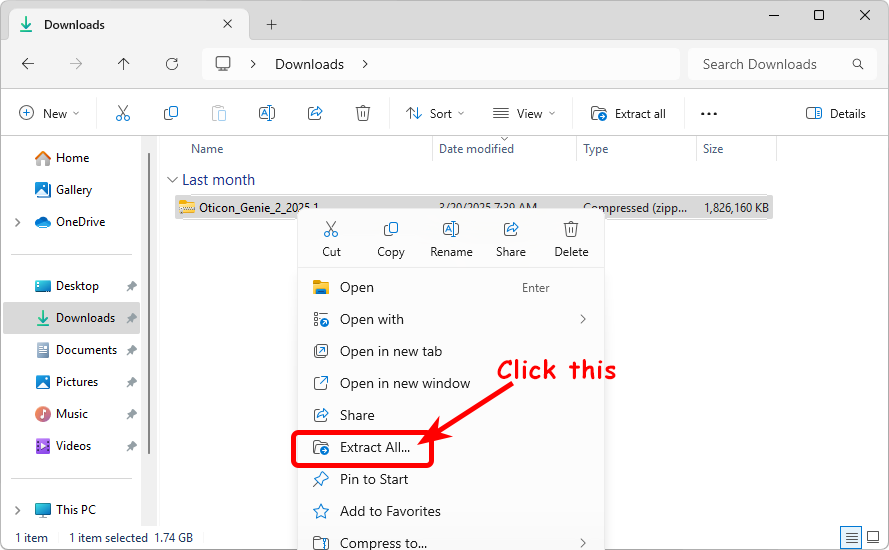
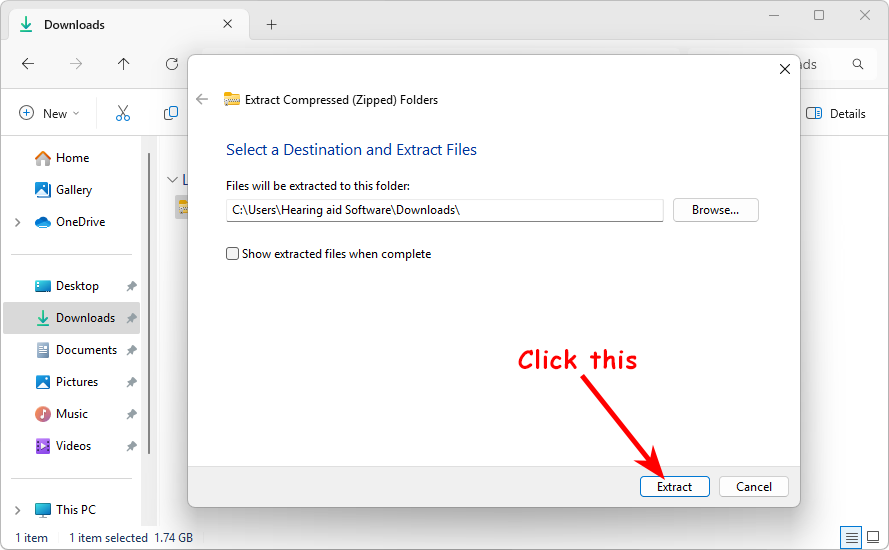
1. After downloading the software, it is a compressed file, and you need to extract the file first:
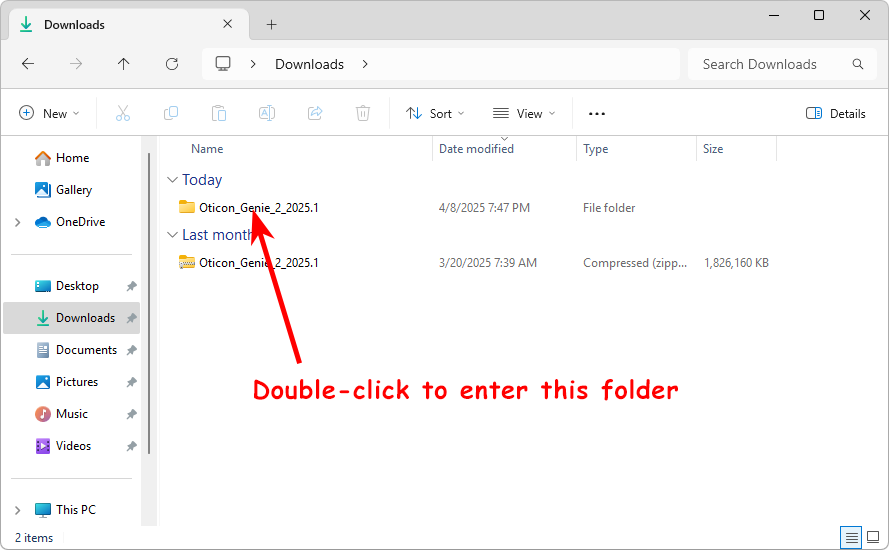
2. After extraction, you will get a folder. Enter this folder:
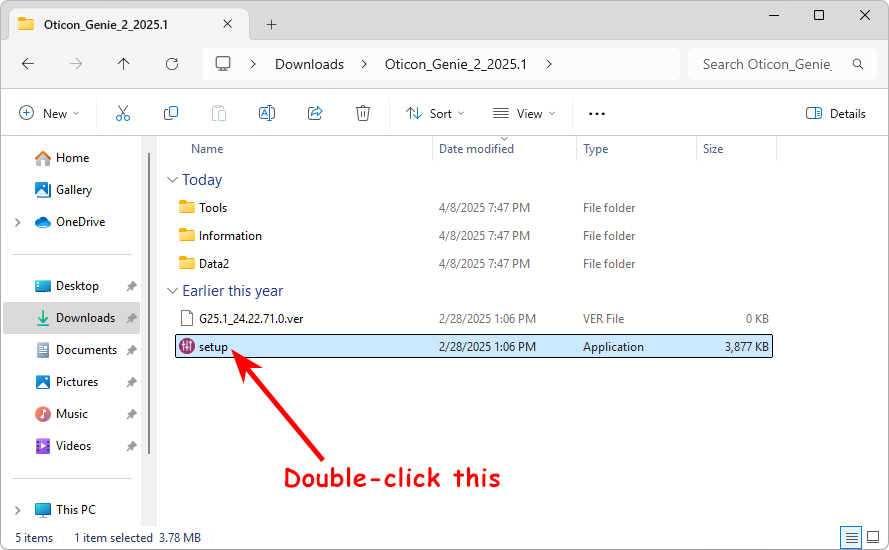
3. Run the Setup.exe file (the file with a purple icon):
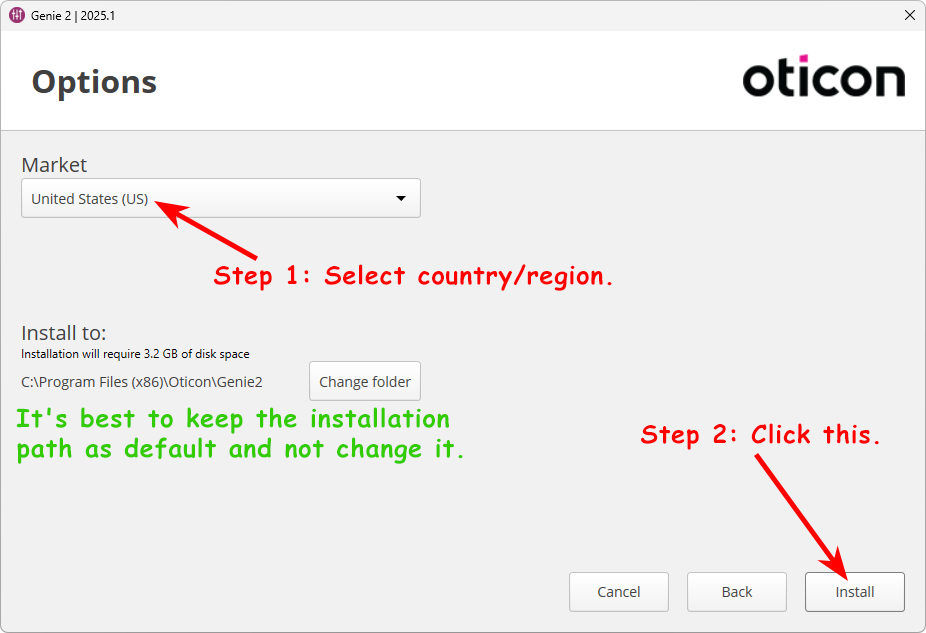
4. Then, you will see the Oticon Genie 2 installation interface. After selecting the country/region, click the Install button.
It’s best not to change the installation path.
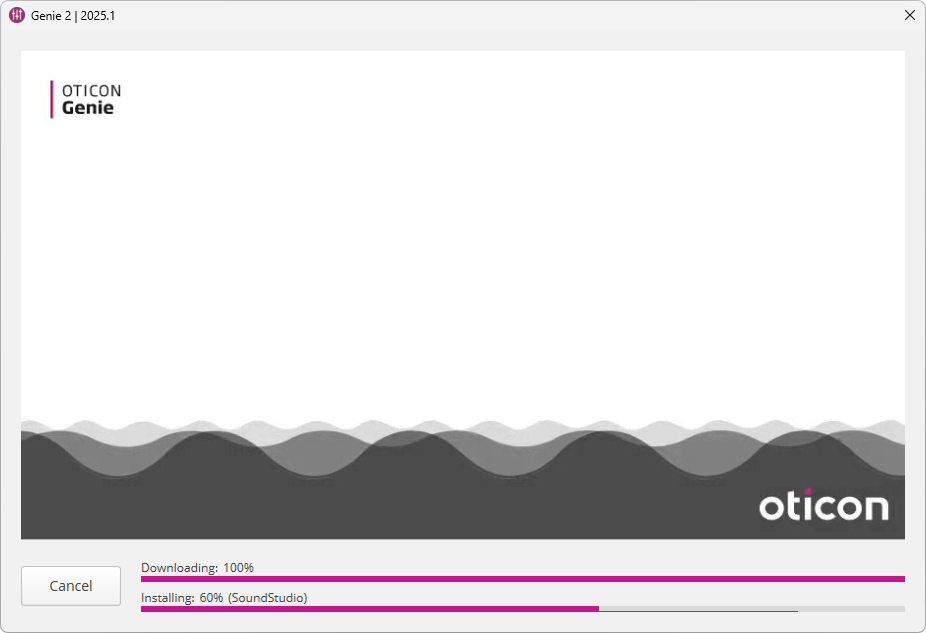
5. Wait for the installation.
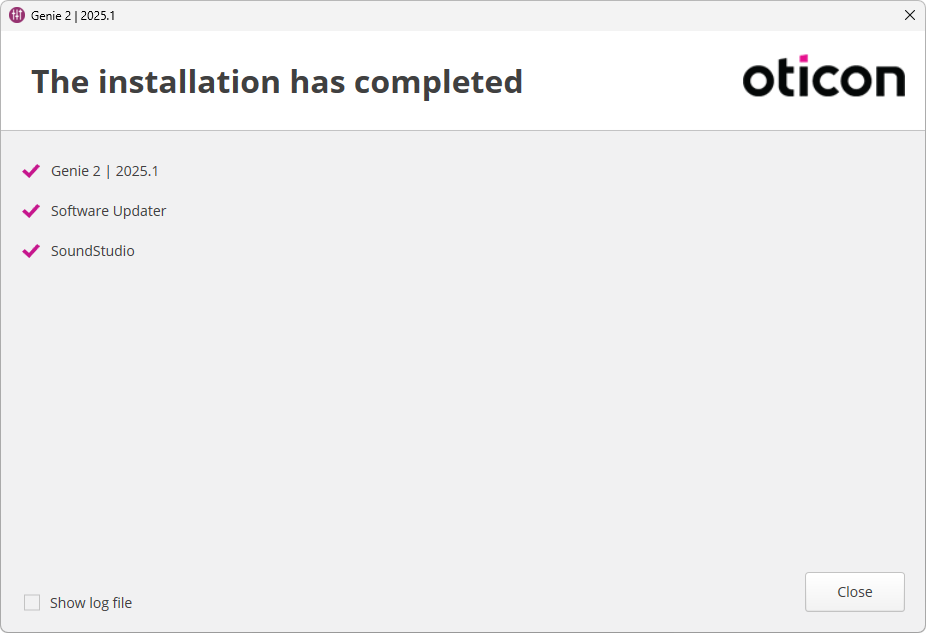
6. Once the installation is complete, Close it.
7. How to launch Oticon Genie 2 software:
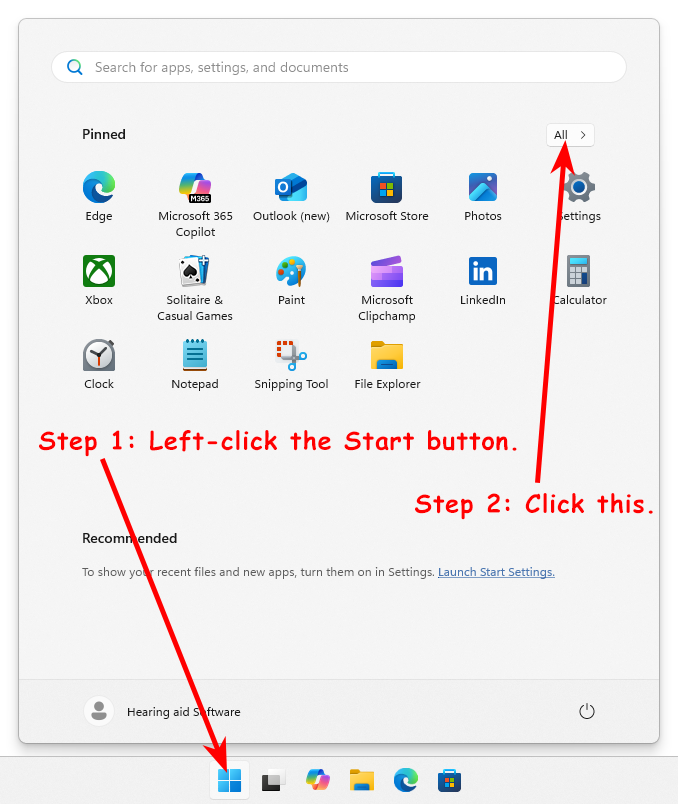
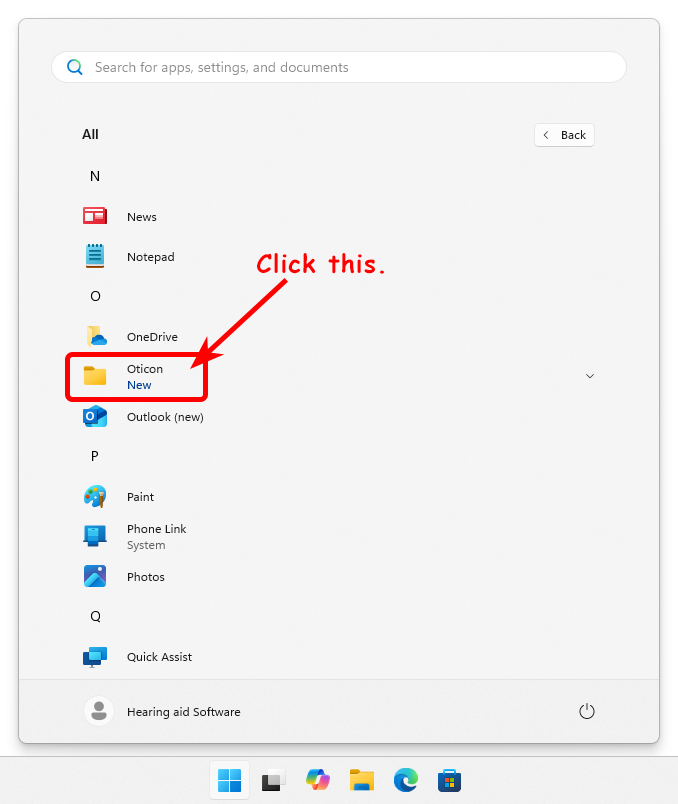
Click the Start button, and in the pop-up Start menu, find “All >”, then click it.
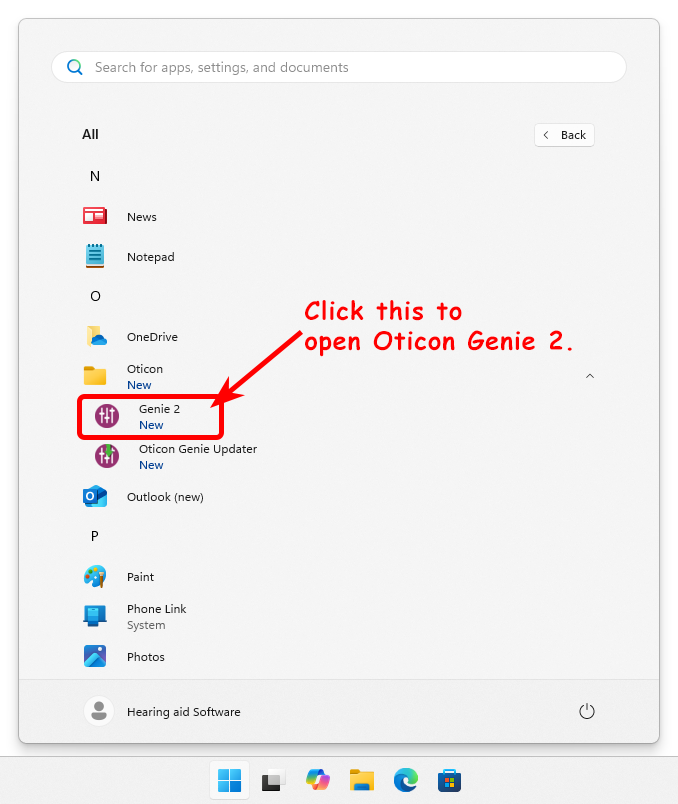
Launch Oticon Genie 2 from the Oticon folder.
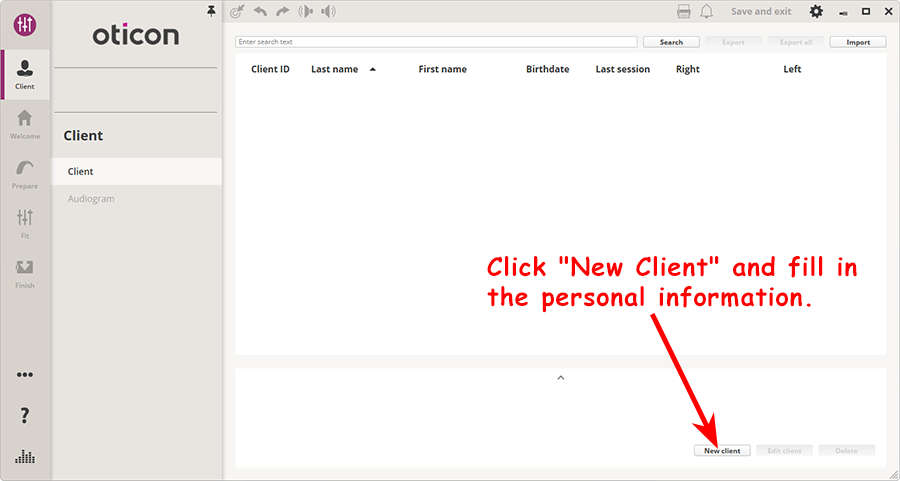
When you see the window below, it means your Oticon Genie 2 software has started successfully. You need to create a New Client first, and then your hearing aid fitting journey will begin.